Package manager
No origin ticket available, this feature was started before the Jira ticketing system was implemented.
The purpose of this feature is to be able to interactively install synQup Modules in the UI. This task was created before the NocoDB was created. Glenn was assigned on the core for this task and I (Spencer) was assigned on its UI but also did some tasks and fixed some issues on the core for this one.
In the UI, all the Modules will be listed on a single page as required before. Where all the modules that are installed are first on the list, and the installed modules that has an update will also have an Icon next to it showing that there is an available update. On the following example image, you will see that the Faker Module was already installed but has an available or has a newer version:
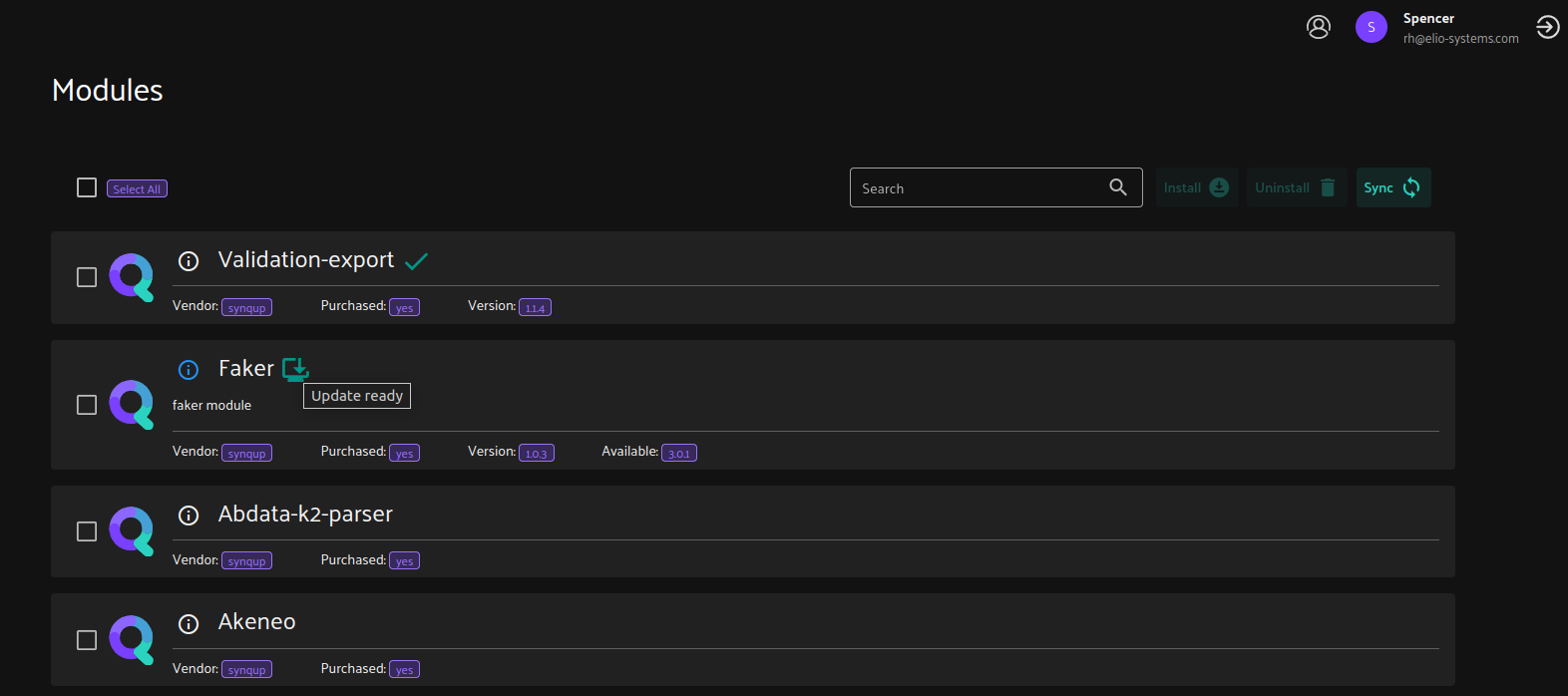
The Info Icon is also clickable where it will show the Module’s Description (set from the composer.json of the Module).
For the Inputs and Buttons, we have the search bar, Install and Uninstall with the Sync Button. We can also perform multiple Install or Uninstall by checking the checkbox of the desired modules or by also clicking the Select All. Installing module/s via the Module Listing Page would install the latest tag. But we can specify on what version or branch of a module would be installed on its own modal:
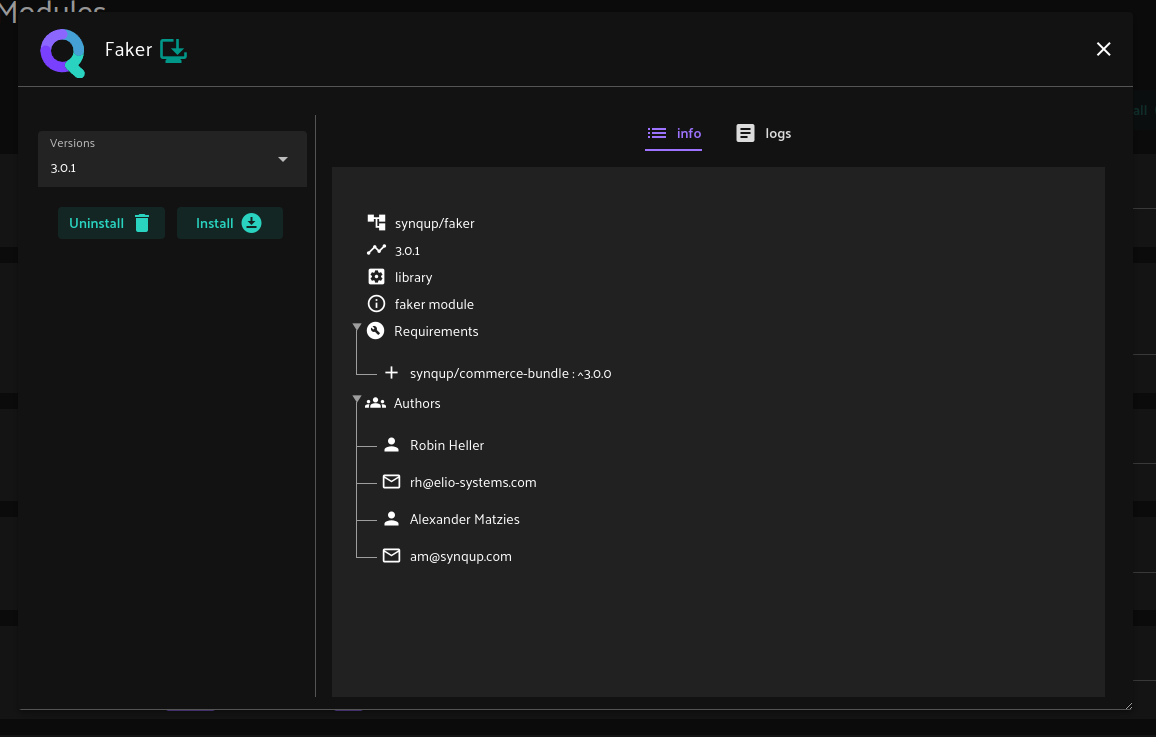
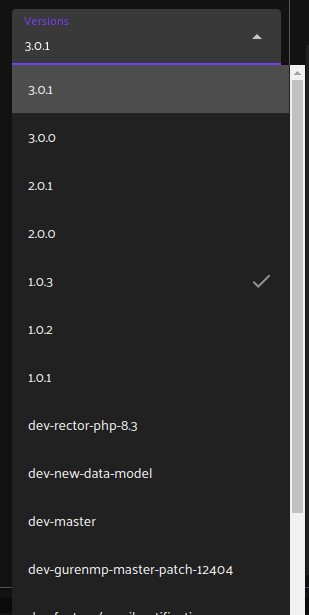
We have the Version Selection Input to select the desired branch/tag of a module and install it. The Uninstall Button will not be disabled as we can still execute the composer remove command even if the module is not installed to surely clean/remove it. The installed version will also have its check mark on the selection options:
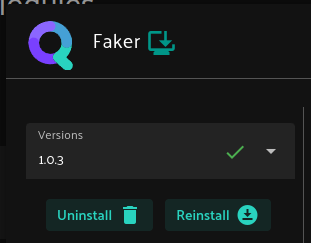
And if the selected version is the installed version, it will display the green check mark with it with Uninstall and Reinstall Actions:
There are also two tabs in the module’s modal.
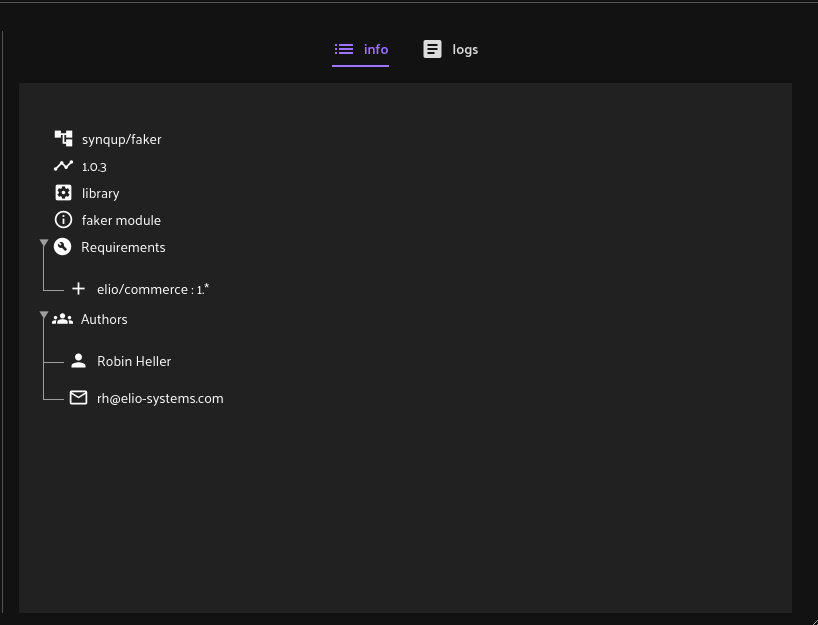
The Info Tab which will display the selected version’s module vendor, version, type, description, module requirements, and authors:
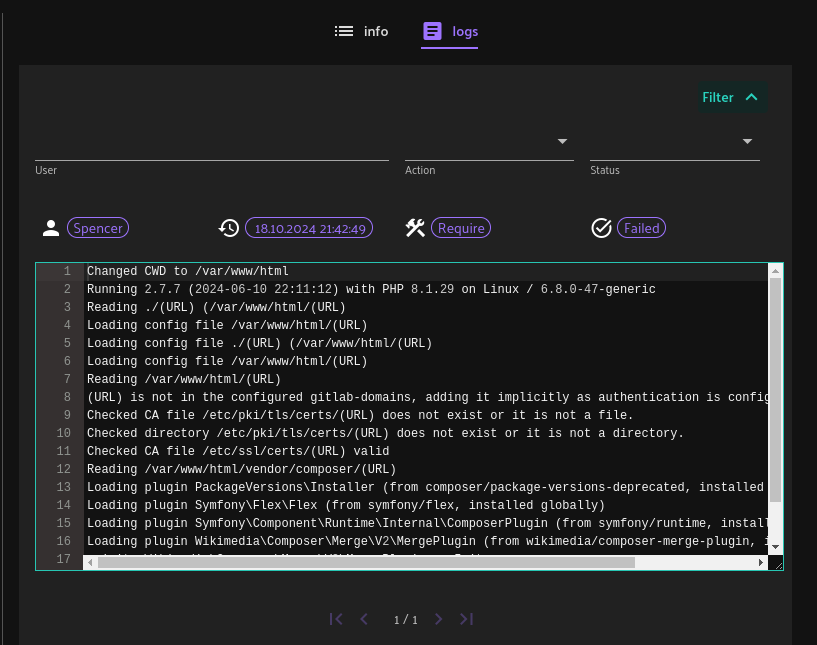
While in the Logs Tab, it contains the composer logs of the selected Module. It can also be filtered by User, Action, and Status.
Problem: Now that the NocoDB is here, the main purpose of this feature has been already fulfilled. But this feature still can be helpful in terms of updating a Module’s version where we don’t need to re-deploy the instance just to update the module. A logic to let the workers restart and clear the module cache text file (for the JDM Listing in the UI) is also included on this feature, where we don’t need to manually restart the supervisor workers and clear the cache to be able to use the Module.
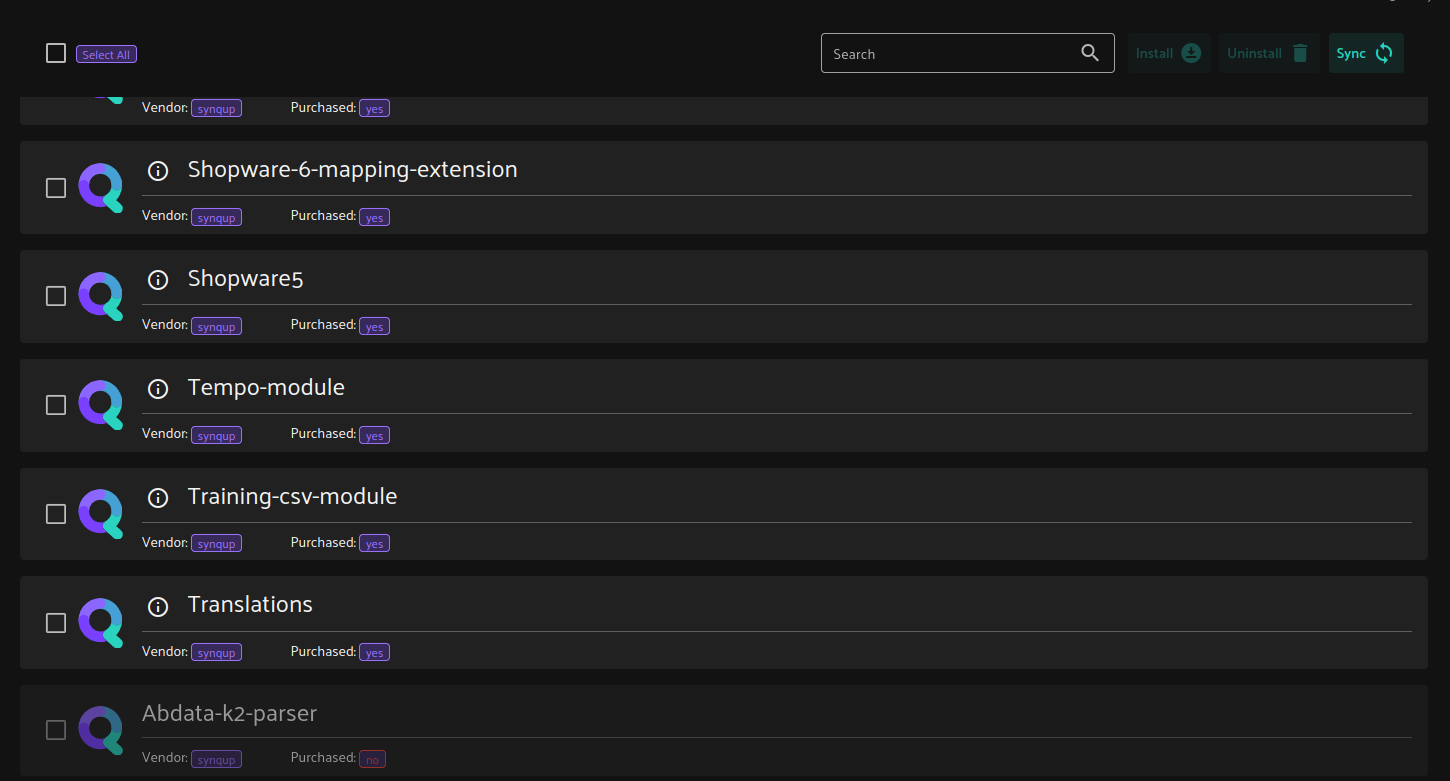
Second Problem: In terms of disabling some modules for some clients, we already have the way to disable some modules in the package_market table (holding the modules' information) by the use of package_ownership boolean field where if false, the module will be disabled and will be last on the listing:
But we have no means of setting the package_ownership for now besides directly updating it on the database. Maybe we can use the Composer Files from the deployment, and just update the modules' package_ownership to true if the module is included there.